Table of Contents
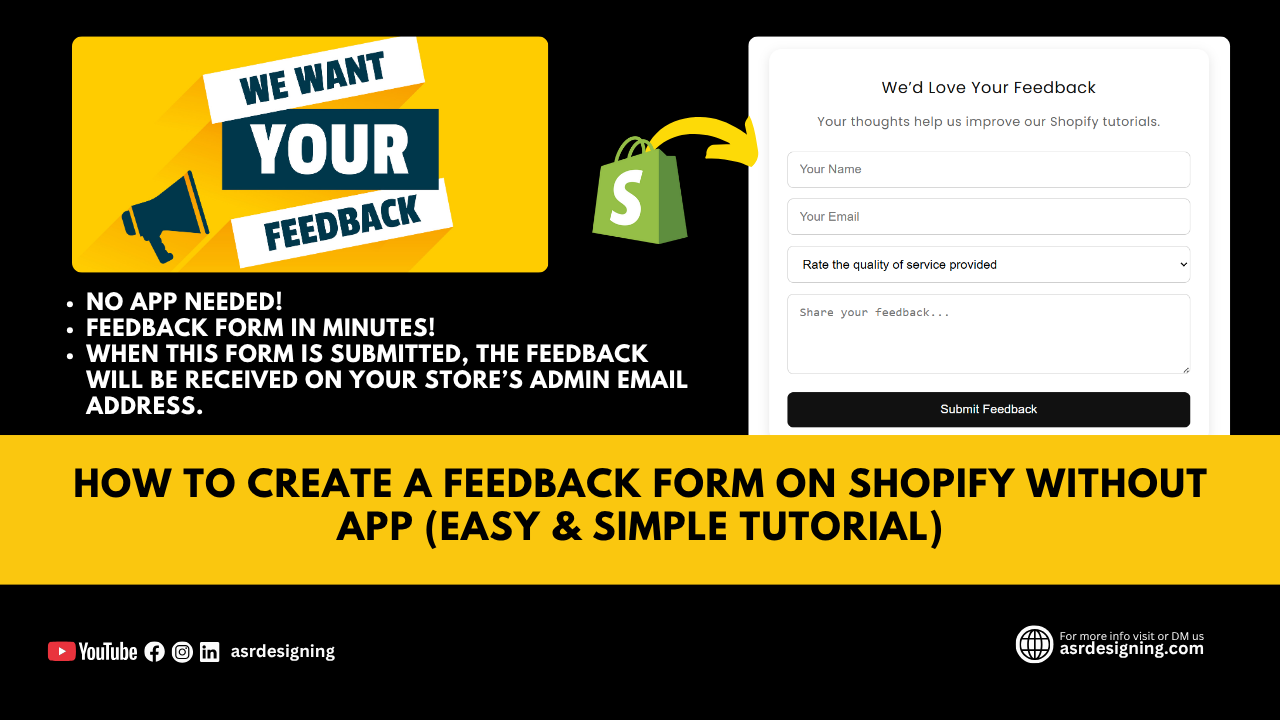
We’ll show you how to create a feedback form on Shopify without app using only a Custom Liquid block and a few simple lines of HTML and CSS.
If you want to collect customer feedback on your Shopify store without paying for any app, you’re in the right place.
This method is 100% free, easy to follow, and completely theme-compatible. It works perfectly with Dawn, Sense, Horizon, Ride, and all other Shopify Online Store 2.0 themes.
By the end of this guide, you’ll have a clean, functional, and responsive feedback form that helps you collect valuable insights from your customers — without installing or paying for any third-party plugin.
Why Add a Feedback Form to Your Shopify Store?
A feedback form helps you understand what your customers think about your products, services, or store experience.
It can improve your:
- Store credibility
- Customer trust
- Service quality
- Conversion rate
And the best part? You don’t need any third-party app or plugin.
How to Create a Feedback Form on Shopify Without App
Follow these simple steps:
Step 1: Go to Shopify Customizer
- Login to your Shopify Admin.
- Click Online Store → Themes → Customize.
Step 2: Add a Custom Liquid Section
- Scroll to the section where you want to display the form (e.g., Contact Page or Footer).
- Click “Add Section” → Custom Liquid.
Step 3: Paste the Below Code
Now, paste this code into the Custom Liquid editor:
<style>
  .feedback-form {
    max-width: 600px;
    margin: 0 auto;
    padding: 20px 25px;
    background: #fff;
    border-radius: 16px;
    box-shadow: 0 4px 15px rgba(0,0,0,0.1);
    font-family: inherit;
    font-size: 17px;
  }

  /* Added margin-left and margin-right */
  #feedback-form-container {
    margin-left: 10px;
    margin-right: 10px;
  }

  .feedback-form h2 {
    text-align: center;
    font-size: 22px;
    margin-bottom: 15px;
    color: #111;
  }

  .feedback-form p {
    text-align: center;
    color: #666;
    margin-bottom: 25px;
    font-size: 17px;
  }

  .feedback-form input,
  .feedback-form textarea,
  .feedback-form select {
    width: 100%;
    padding: 14px 16px;
    border: 1px solid #ccc;
    border-radius: 8px;
    margin-bottom: 15px;
    font-size: 17px;
  }

  .feedback-form button {
    width: 100%;
    padding: 14px;
    background: #111;
    color: #fff;
    border: none;
    border-radius: 8px;
    font-size: 17px;
    cursor: pointer;
    transition: background 0.3s ease;
  }

  .feedback-form button:hover {
    background: #848484;
  }

  .feedback-success {
    text-align: center;
    background: #e8f9f0;
    border: 1px solid #a3e4b0;
    color: #2c662d;
    padding: 15px;
    border-radius: 8px;
    margin-bottom: 20px;
    font-size: 17px;
    display: none;
  }

  @media (max-width: 768px) {
    .feedback-form { padding: 15px; }
  }
</style>

<div id="feedback-form-container">
  {% if form.posted_successfully? %}
    <div class="feedback-success" style="display:block;">
      Thank you! Your feedback has been successfully submitted.
    </div>
  {% endif %}

  <form class="feedback-form" method="post" action="/contact#feedback-form">
    <h2>We’d Love Your Feedback</h2>
    <p>Your thoughts help us improve our Shopify tutorials.</p>

    <input type="hidden" name="form_type" value="contact">
    <input type="hidden" name="utf8" value="✓">

    <input type="text" name="contact[name]" placeholder="Your Name" required>
    <input type="email" name="contact[email]" placeholder="Your Email" required>

    <select name="contact[rating]" required>
      <option value="">Rate the quality of service provided</option>
      <option value="5">⭐⭐⭐⭐⭐ Excellent</option>
      <option value="4">⭐⭐⭐⭐ Good</option>
      <option value="3">⭐⭐⭐ Average</option>
      <option value="2">⭐⭐ Poor</option>
      <option value="1">⭐ Very Poor</option>
    </select>

    <textarea name="contact[body]" rows="4" placeholder="Share your feedback..." required></textarea>

    <button type="submit">Submit Feedback</button>
  </form>
</div>
Output:
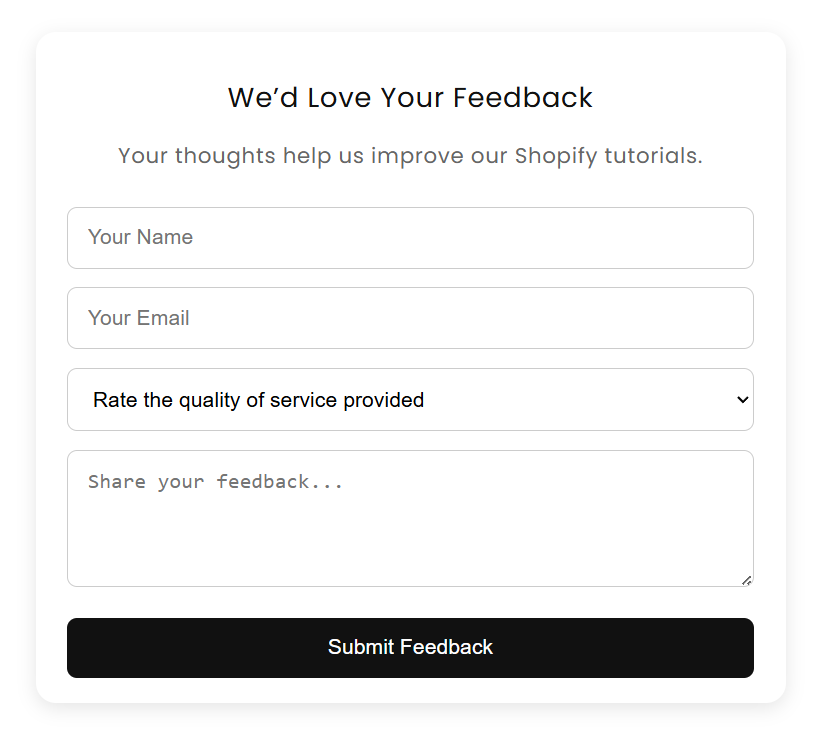
Output Example
Once submitted, the form automatically sends the response to your Shopify store admin email.
Pro Tip
You can easily customize this feedback form:
- Change background color or button color
- Add your brand name in the form header
- Use it as a contact or testimonial form too
Watch the Video Tutorial
👉 Watch the full video on YouTube:
“How to Create a Feedback Form on Shopify Without App (Easy & Simple Tutorial)

Website Design for Dry Cleaners in Atlanta, GA

Website Design for POSH Business in Mumbai, India
Website Design for Dry Cleaners in Atlanta, GA
Website Design for POSH Business in Mumbai, India

Home Improvement Website Design in Mumbai, India

Jewelry Website Design & Development Agency

Nivoda Jewelry Builder Website Development

Website Design for CA Firms in Oslo Norway

B2B eCommerce Website for $1,000: What Can You Build?

Web Design for Lawn Mowing Service in Chicago, IL

Website Design for Veterinary Clinic in San Jose CA